- Go 98.6%
- Shell 1.4%
| Filename | Latest commit message | Latest commit date |
|---|---|---|
|
|
||
| acbuild | ||
| Documentation | ||
| engine | ||
| examples | ||
| lib | ||
| registry | ||
| scripts | ||
| tests | ||
| util | ||
| vendor | ||
| .gitignore | ||
| .travis.yml | ||
| build | ||
| build-docker | ||
| build-man-pages | ||
| build-rkt | ||
| CHANGELOG.md | ||
| glide.lock | ||
| glide.yaml | ||
| LICENSE | ||
| MAINTAINERS | ||
| README.md | ||
| test | ||
| Vagrantfile | ||

This project is currently unmaintained
acbuild was originally created to be the tool used to build AppC images. Due to the introduction of the Open Container Initiative, development on AppC was officially suspended in November, 2016. While acbuild has the ability to also produce OCI images, it is not the only tool capable of doing so. In its current state, acbuild is not currently maintained. If you wish to become a maintainer of acbuild, feel free to start contributing and ask for direct commit access via the issue/PR tracker.
For those looking for an OCI image manipulation tool that is actively maintained, umoci or buildah might be able to fill the role.
acbuild - another container build tool
acbuild is a command line utility to build and modify container images.
It is intended to provide an image build workflow independent of specific formats; currently, it can output the following types of container images:
- ACI, the container image format defined in the App Container (appc) spec.
- OCI, the format defined in the Open Containers Image Format specification
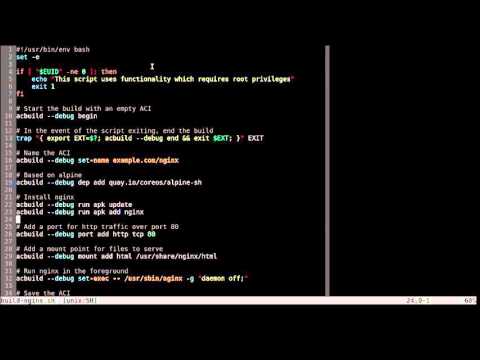
http://www.youtube.com/watch?v=WcnIDm80y68
Rationale
We needed a powerful tool for constructing and manipulating container images
that made it easy to iteratively build containers, both from scratch and atop
existing images. We wanted that tool to integrate well with Unix mechanisms
like the shell and Makefiles so it would fit seamlessly into well-known
administrator and developer workflows.
Installation
Dependencies
acbuild can only be run on a Linux system, and has only been tested on the amd64 architecture.
For trying out acbuild on Mac OS X, it's recommended to use Vagrant. Instructions on how to do this are a little further down in this document.
acbuild requires a handful of commands be available on the system on which it's run:
cpmodprobe
Additionally systemd-nspawn is required to use the default
engine for acbuild run. Thus on Ubuntu the systemd-container package needs to be installed.
Prebuilt Binaries
The easiest way to get acbuild is to download one of the
releases from GitHub.
Build from source
The other way to get acbuild is to build it from source. Building from source requires Go 1.5+.
Follow these steps to do so:
-
Grab the source code for
acbuildbygit cloneing the source repository:cd ~ git clone https://github.com/containers/build acbuild -
Run the
buildscript from the root source repository directory:cd acbuild ./buildOr, if you want to build in docker (assuming
$PWDexists and containsacbuild/on your Docker host):cd acbuild ./build-docker -
A
bin/directory will be created that contains theacbuildtool. To make sure your shell can find this executable, append this directory to your environment's$PATHvariable. You can do this in your.bashrcor similar file, for example:vi ~/.bashrc
and put the following lines at the end of the file:
export ACBUILD_BIN_DIR=~/acbuild/bin
export PATH=$PATH:$ACBUILD_BIN_DIR
Building acbuild with rkt
If rkt is installed on the system, acbuild can also be built inside of a rkt container with the following command:
./build-rkt
Trying out acbuild using Vagrant
For users with Vagrant 1.5.x or greater, there's a provided Vagrantfile that
can quickly get you set up with a Linux VM that has both acbuild and rkt. The
following steps will grab acbuild, set up the machine, and ssh into it.
git clone https://github.com/containers/build acbuild
cd acbuild
vagrant up
vagrant ssh
Documentation
Documentation about acbuild and many of its commands is available in the
Documentation
directory in this
repository.
Examples
Check out the examples
directory for some common
applications being packaged into ACIs with acbuild.
Related work
- https://github.com/sgotti/baci
- https://github.com/appc/spec/tree/master/actool - particularly the
buildandpatch-manifestsubcommands.acbuildmay subsume such functionality, leavingactoolas a validator only. - https://github.com/blablacar/dgr